http://www.blackmoreops.com/2014/02/03/notable-penetration-test-linux-distributions-of-2014

A penetration test, or the short form pentest, is an attack on a
computer system with the intention of finding security weaknesses,
potentially gaining access to it, its functionality and data. A
Penetration Testing Linux is a special built Linux distro that can be
used for analyzing and evaluating security measures of a target system.
There are several operating system distributions, which are geared
towards performing penetration testing. Distributions typically contains
pre-packaged and pre-configured set of tools. This is useful because
the penetration tester does not have to hunt down a tool when it is
required. This may in turn lead to further complications such as compile
errors, dependencies issues, configuration errors, or simply acquiring
additional tools may not be practical in the tester’s context.
Popular examples are Kali Linux (replacing Backtrack as of December
2012) based on Debian Linux, Pentoo based on Gentoo Linux and BackBox
based on Ubuntu Linux. There are many other specialized operating
systems for penetration testing, each more or less dedicated to a
specific field of penetration testing.
Penetration tests are valuable for several reasons:
- Determining the feasibility of a particular set of attack vectors
- Identifying higher-risk vulnerabilities that result from a
combination of lower-risk vulnerabilities exploited in a particular
sequence
- Identifying vulnerabilities that may be difficult or impossible to
detect with automated network or application vulnerability scanning
software
- Assessing the magnitude of potential business and operational impacts of successful attacks
- Testing the ability of network defenders to successfully detect and respond to the attacks
- Providing evidence to support increased investments in security personnel and technology
The new pentest distroes are developed and maintained with user
friendliness in mind, so anyone with basic Linux usage knowledge can use
them. Tutorials and HOW TO articles are available for public usages
(rather than kept in closed community). The idea that pentest distroes
are mainly used by network and computer security experts, security
students and audit firms doesn’t apply anymore, everyone want’s to test
their own network, Wireless connection, Website, Database and I must say
most of the distribution owners are making it really easy and offering
training for interested ones.
Now lets have a look at some of the best pentest distroes of 2014,
some are well maintained, some are not, but either way they all offer
great package list to play with:
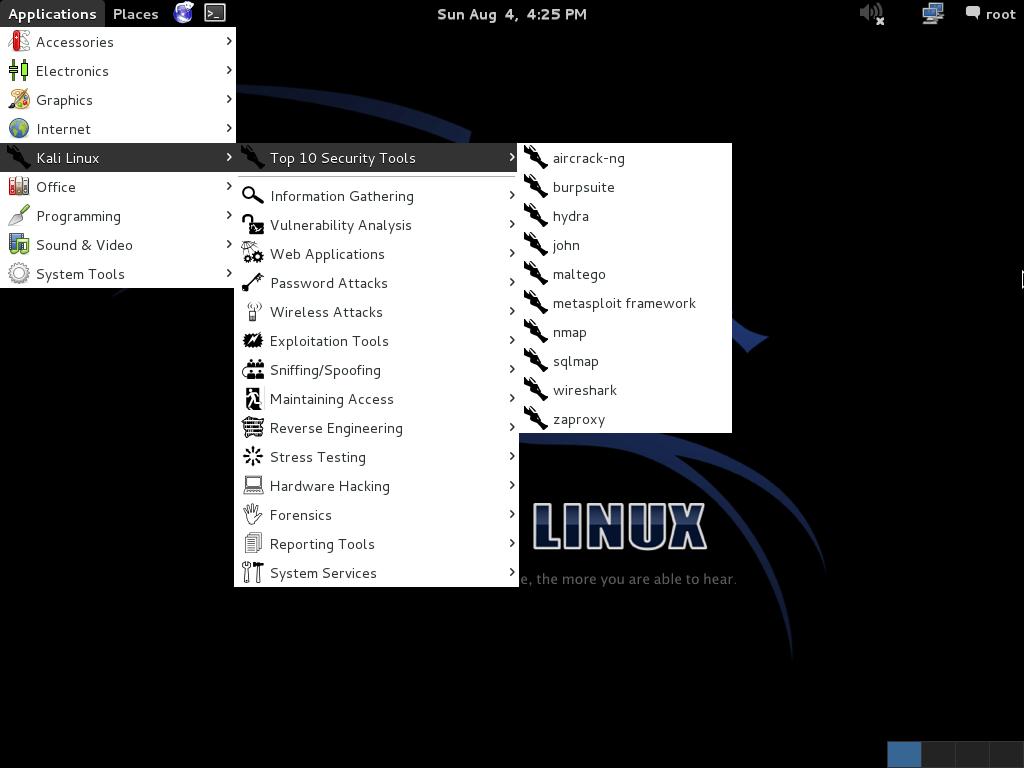
1. Kali Linux (previous known as BackTrack 5r3)

Kali is a complete re-build of
BackTrack Linux, adhering completely to
Debian development standards. All-new infrastructure has been put in place, all tools were reviewed and packaged, and we use
Git for our VCS.
- More than 300 penetration testing tools: After reviewing
every tool that was included in BackTrack, we eliminated a great number
of tools that either did not work or had other tools available that
provided similar functionality.
- Free and always will be: Kali Linux, like its predecessor, is completely free and always will be. You will never, ever have to pay for Kali Linux.
- Open source Git tree: We are huge proponents of open source software and our development tree is available for all to see and all sources are available for those who wish to tweak and rebuild packages.
- FHS compliant: Kali has been developed to adhere to the Filesystem Hierarchy Standard, allowing all Linux users to easily locate binaries, support files, libraries, etc.
- Vast wireless device support: We have built Kali Linux to
support as many wireless devices as we possibly can, allowing it to run
properly on a wide variety of hardware and making it compatible with
numerous USB and other wireless devices.
- Custom kernel patched for injection: As penetration testers,
the development team often needs to do wireless assessments so our
kernel has the latest injection patches included.
- Secure development environment: The Kali Linux team is made
up of a small group of trusted individuals who can only commit packages
and interact with the repositories while using multiple secure
protocols.
- GPG signed packages and repos: All Kali packages are signed
by each individual developer when they are built and committed and the
repositories subsequently sign the packages as well.
- Multi-language: Although pentesting tools tend to be written
in English, we have ensured that Kali has true multilingual support,
allowing more users to operate in their native language and locate the
tools they need for the job.
- Completely customizable: We completely understand that not
everyone will agree with our design decisions so we have made it as easy
as possible for our more adventurous users to customize Kali Linux to their liking, all the way down to the kernel.
- ARMEL and ARMHF support: Since ARM-based systems are becoming more and more prevalent and inexpensive, we knew that Kali’s ARM support would need to be as robust as we could manage, resulting in working installations for both ARMEL and ARMHF
systems. Kali Linux has ARM repositories integrated with the mainline
distribution so tools for ARM will be updated in conjunction with the
rest of the distribution. Kali is currently available for the following
ARM devices:
Kali is specifically tailored to penetration testing and therefore,
all documentation on this site assumes prior knowledge of the Linux
operating system.

Penetration testing and security auditing requires specialist tools.
The natural path leads us to collecting them all in one handy place.
However how that collection is implemented can be critical to how you
deploy effective and robust testing.
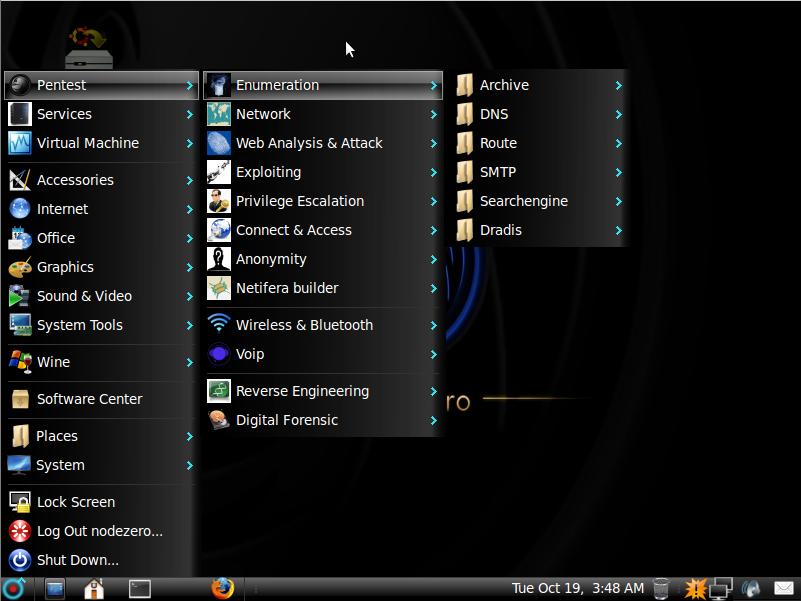
It is said the necessity is the mother of all invention, and NodeZero
Linux is no different. Our team is built of testers and developers, who
have come to the census that live systems do not offer what they need
in their security audits. Penetration Testing distributions tend to have
historically utilized the “Live” system concept of Linux, which really
means that they try not to make any permanent effects to a system. Ergo
all changes are gone after reboot, and run from media such as discs and
USB’s drives. However all that this maybe very handy for occasional
testing, its usefulness can be depleted when you’re testing regularly.
It’s our belief that “Live System’s” just don’t scale well in a robust
testing environment.
All though NodeZero Linux can be used as a “Live System” for
occasional testing, its real strength comes from the understanding that a
tester requires a strong and efficient system. This is achieved in our
belief by working at a distribution that is a permanent installation
that benefits from a strong selection of tools, integrated with a stable
Linux environment.
NodeZero Linux is reliable, stable, and powerful. Based on the
industry leading Ubuntu Linux distribution, NodeZero Linux takes all the
stability and reliability that comes with Ubuntu’s Long Term Support
model, and its power comes from the tools configured to live comfortably
within the environment.

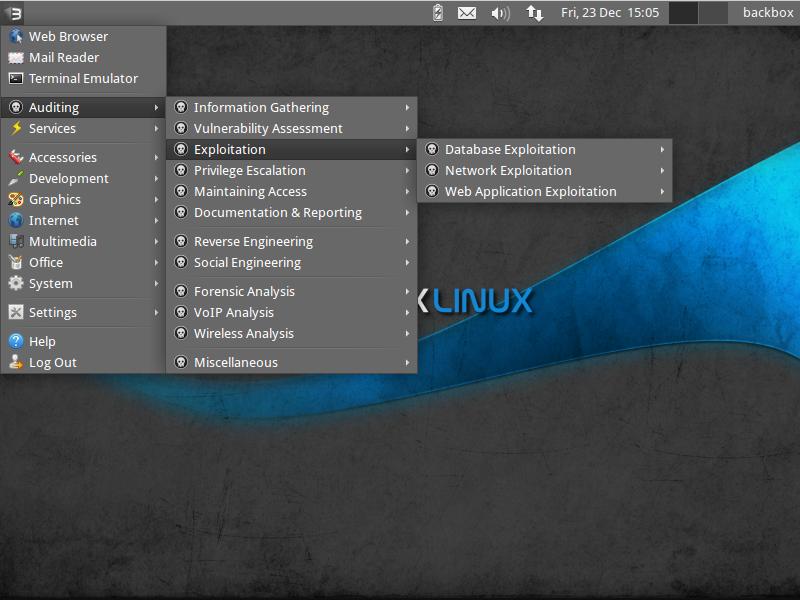
BackBox is a Linux distribution based on Ubuntu. It has been
developed to perform penetration tests and security assessments.
Designed to be fast, easy to use and provide a minimal yet complete
desktop environment, thanks to its own software repositories, always
being updated to the latest stable version of the most used and best
known ethical hacking tools.
BackBox main aim is providing an alternative, highly customizable and
performing system. BackBox uses the light window manager Xfce. It
includes some of the most used security and analysis Linux tools, aiming
to a wide spread of goals, ranging from web application analysis to
network analysis, from stress tests to sniffing, including also
vulnerability assessment, computer forensic analysis and exploitation.
The power of this distribution is given by its Launchpad repository
core constantly updated to the last stable version of the most known and
used ethical hacking tools. The integration and development of new
tools inside the distribution follows the commencement of open source
community and particularly the Debian Free Software Guidelines criteria.
BackBox Linux takes pride as they excelled on the followings:
- Performance and speed are key elements
Starting from an appropriately configured XFCE desktop manager it
offers stability and the speed, that only a few other DMs can offer,
reaching in extreme tweaking of services, configurations, boot
parameters and the entire infrastructure. BackBox has been designed with
the aim of achieving the maximum performance and minimum consumption of
resources.
This makes BackBox a very fast distro and suitable even for old hardware configurations.
- Everything is in the right place
The main menu of BackBox has been well organized and designed to
avoid any chaos/mess finding tools that we are looking for. The
selection of every single tool has been done with accuracy in order to
avoid any redundancies and the tools that have similar functionalities.
With particular attention to the end user every needs, all menu and
configuration files are have been organized and reduced to a minimum
essential, necessary to provide an intuitive, friendly and easy usage of
Linux distribution.
The software packaging process, the configuration and the tweaking of
the system follows up the Ubuntu/Debian standard guide lines.
Any of Debian and Ubuntu users will feel very familiar with, while
newcomers will follow the official documentation and BackBox additions
to customize their system without any tricky work around, because it is
standard and straight forward!
As a live distribution, BackBox offer an experience that few other
distro can offer and once installed naturally lends itself to fill the
role of a desktop-oriented system. Thanks to the set of packages
included in official repository it provides to the user an easy and
versatile usage of system.
If you’d like to make any change/modification, in order to suite to
your purposes, or maybe add additional tools that is not present in the
repositories, nothing could be easier in doing that with BackBox. Create
your own Launchpad PPA, send your package to dev team and contribute
actively to the evolution of BackBox Linux.

Blackbuntu is distribution for penetration testing which was
specially designed for security training students and practitioners of
information security. Blackbuntu is penetration testing distribution
with GNOME Desktop Environment.
Here is a list of Security and Penetration Testing tools – or rather
categories available within the Blackbuntu package, (each category has
many sub categories) but this gives you a general idea of what comes
with this pentesting distro:
- Information Gathering,
- Network Mapping,
- Vulnerability Identification,
- Penetration,
- Privilege Escalation,
- Maintaining Access,
- Radio Network Analysis,
- VoIP Analysis,
- Digital Forensic,
- Reverse Engineering and a
- Miscellaneous section.
Because this is Ubuntu based, almost every device and hardware would
just work which is great as it wastes less time troubleshooting and more
time working.

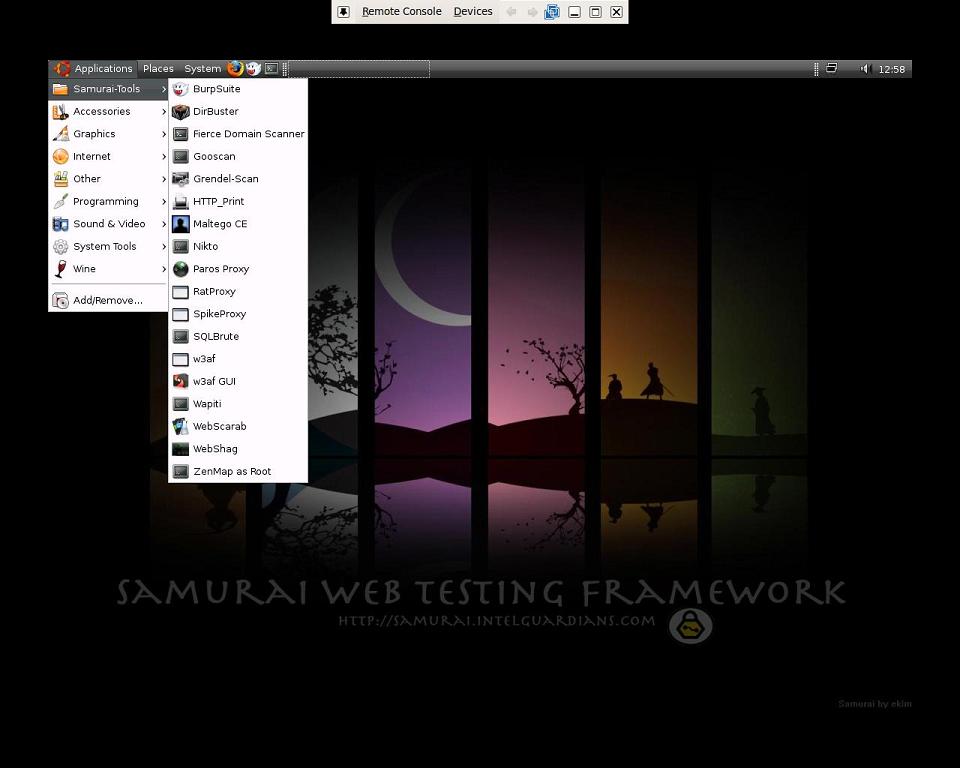
The Samurai Web Testing Framework is a live linux environment that
has been pre-configured to function as a web pen-testing environment.
The CD contains the best of the open source and free tools that focus on
testing and attacking websites. In developing this environment, we have
based our tool selection on the tools we use in our security practice.
We have included the tools used in all four steps of a web pen-test.
Starting with reconnaissance, we have included tools such as the
Fierce domain scanner and Maltego. For mapping, we have included tools
such WebScarab and ratproxy. We then chose tools for discovery. These
would include w3af and burp. For exploitation, the final stage, we
included BeEF, AJAXShell and much more. This CD also includes a
pre-configured wiki, set up to be the central information store during
your pen-test.
Most penetration tests are focused on either network attacks or web
application attacks. Given this separation, many pen testers themselves
have understandably followed suit, specializing in one type of test or
the other. While such specialization is a sign of a vibrant, healthy
penetration testing industry, tests focused on only one of these aspects
of a target environment often miss the real business risks of
vulnerabilities discovered and exploited by determined and skilled
attackers. By combining web app attacks such as SQL injection,
Cross-Site Scripting, and Remote File Includes with network attacks such
as port scanning, service compromise, and client-side exploitation, the
bad guys are significantly more lethal. Penetration testers and the
enterprises who use their services need to understand these blended
attacks and how to measure whether they are vulnerable to them. This
session provides practical examples of penetration tests that combine
such attack vectors, and real-world advice for conducting such tests
against your own organization.
Samurai Web Testing Framework looks like a very clean distribution
and the developers are focused on what they do best, rather than trying
to add everything in one single distribution and thus making supporting
tougher. This is in a way good as if you’re just starting, you should
start with a small set of tools and then move on to next step.

Like Knoppix, this distro is based on Debian and originated in
Germany. STD is a Security Tool. Actually it is a collection of hundreds
if not thousands of open source security tools. It’s a Live Linux
Distro (i.e. it runs from a bootable CD in memory without changing the
native operating system of your PC). Its sole purpose in life is to put
as many security tools at your disposal with as slick an interface as it
can.
The architecture is i486 and runs from the following desktops: GNOME,
KDE, LXDE and also Openbox. Knoppix has been around for a long time now
– in fact I think it was one of the original live distros.
Knoppix is primarily designed to be used as a Live CD, it can also be
installed on a hard disk. The STD in the Knoppix name stands for
Security Tools Distribution. The Cryptography section is particularly
well-known in Knoppix.
The developers and official forum might seem snobbish (I mean look at this from their FAQ
Question: I am new to Linux. Should I try STD?
Answer: No. If you’re new to Linux STD will merely hinder your learning experience. Use Knoppix instead.
But hey, isn’t all Pentest distro users are like that? If you can’t
take the heat, maybe you shouldn’t be trying a pentest distro after all.
Kudos to STD dev’s for speaking their mind.
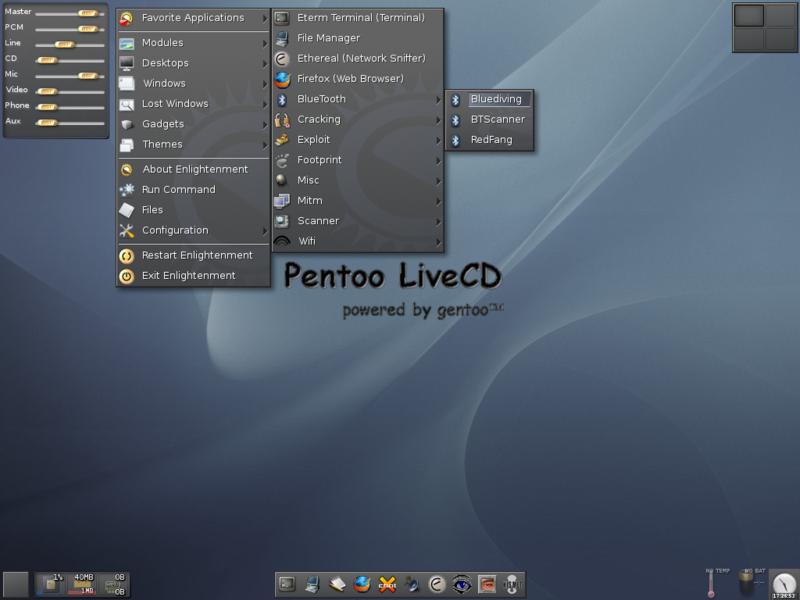
 Pentoo
 is a Live CD and Live USB designed for penetration
testing and security assessment. Based on Gentoo Linux, Pentoo is
provided both as 32 and 64 bit installable livecd. Pentoo is also
available as an overlayfor an existing Gentoo installation. It features
packet injection patched wifi drivers, GPGPU cracking software, and lots
of tools for penetration testing and security assessment. The Pentoo
kernel includes grsecurity and PAX hardening and extra patches – with
binaries compiled from a hardened toolchain with the latest nightly
versions of some tools available.
It’s basically a gentoo install with lots of customized tools,
customized kernel, and much more. Here is a non-exhaustive list of the
features currently included :
- Hardened Kernel with aufs patches
- Backported Wifi stack from latest stable kernel release
- Module loading support ala slax
- Changes saving on usb stick
- XFCE4 wm
- Cuda/OPENCL cracking support with development tools
- System updates if you got it finally installed
Put simply, Pentoo is Gentoo with the pentoo overlay. This overlay is
available in layman so all you have to do is layman -L and layman -a
pentoo.
Pentoo has a pentoo/pentoo meta ebuild and multiple pentoo profiles,
which will install all the pentoo tools based on USE flags. The package
list is fairly adequate. If you’re a Gentoo user, you might want to use
Pentoo as this is the closest distribution with similar build.

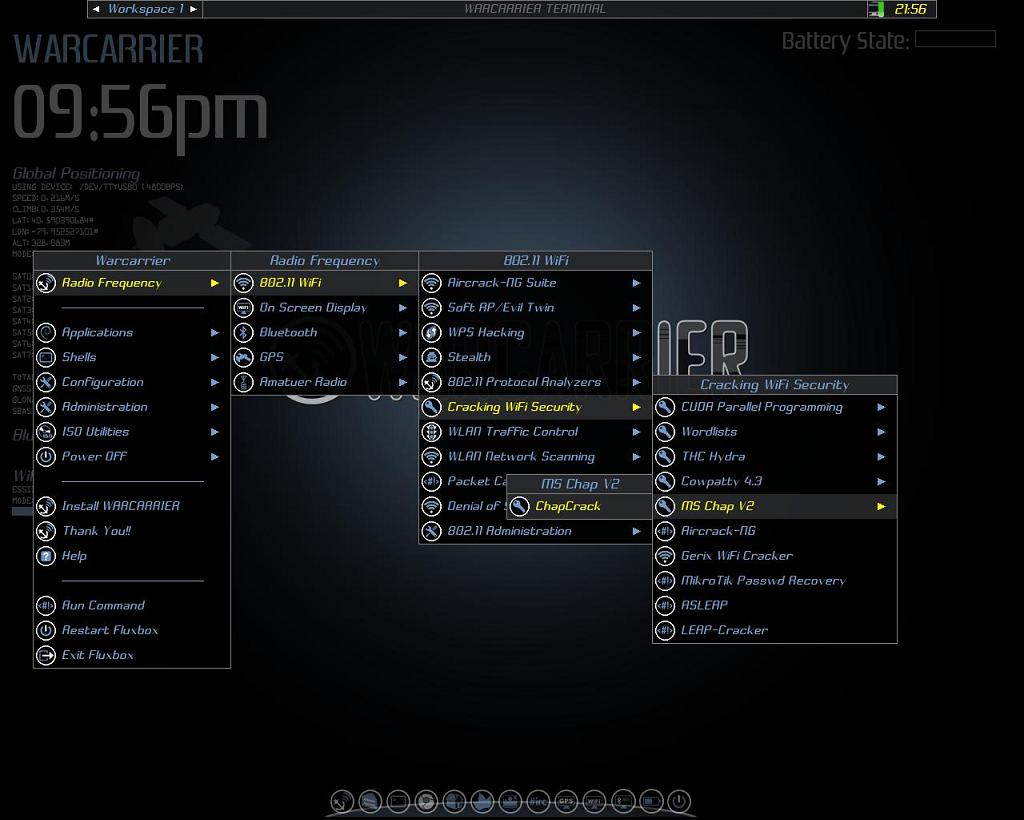
Weakerth4n has a very well maintained website and a devoted
community. Built from Debian Squeeze (Fluxbox within a desktop
environment) this operating system is particularly suited for WiFi
hacking as it contains plenty of Wireless cracking and hacking tools.
Tools includes: Wifi attacks, SQL Hacking, Cisco Exploitation,
Password Cracking, Web Hacking, Bluetooth, VoIP Hacking, Social
Engineering, Information Gathering, Fuzzing Android Hacking, Networking
and creating Shells.
Vital Statistics
- OS Type: Linux
- Based on: Debian, Ubuntu
- Origin: Italy
- Architecture: i386, x86_64
- Desktop: XFCE
If you look into their website you get the feeling that the
maintainers are active and they write a lot of guides and tutorials to
help newbies. As this is based on Debian Squeeze, this might be
something you would want to give a go. They also released Version 3.6
BETA, (Oct 2013) so yeah, give it a go. You might just like it.

Matriux is a Debian-based security distribution designed for
penetration testing and forensic investigations. Although it is
primarily designed for security enthusiasts and professionals, it can
also be used by any Linux user as a desktop system for day-to-day
computing. Besides standard Debian software, Matriux also ships with an
optimised GNOME desktop interface, over 340 open-source tools for
penetration testing, and a custom-built Linux kernel.
Matriux was first released in 2009 under code name “lithium” and then
followed by versions like “xenon” based on Ubuntu. Matriux “Krypton”
then followed in 2011 where we moved our system to Debian. Other
versions followed for Matriux “Krypton” with v1.2 and then Ec-Centric in
2012. This year we are releasing Matriux “Leandros” RC1 on 2013-09-27
which is a major revamp over the existing system.
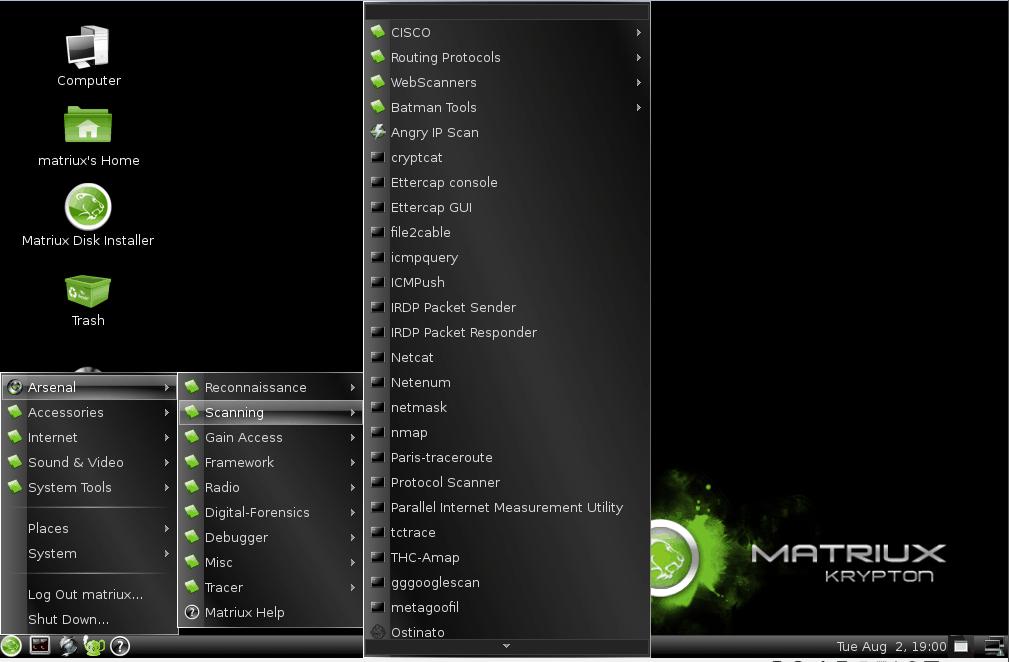
Matriux arsenal is divided into sections with a broader
classification of tools for Reconnaissance, Scanning, Attack Tools,
Frameworks, Radio (Wireless), Digital Forensics, Debuggers, Tracers,
Fuzzers and other miscellaneous tool providing a wider approach over the
steps followed for a complete penetration testing and forensic
scenario. Although there are were many questions raised regarding why
there is a need for another security distribution while there is already
one. We believed and followed the free spirit of Linux in making one.
We always tried to stay updated with the tool and hardware support and
so include the latest tools and compile a custom kernel to stay abreast
with the latest technologies in the field of information security. This
version includes a latest section of tools PCI-DSS.
Matriux is also designed to run from a live environment like a CD/
DVD or USB stick which can be helpful in computer forensics and data
recovery for forensic analysis, investigations and retrievals not only
from Physical Hard drives but also from Solid state drives and NAND
flashes used in smart phones like Android and iPhone. With Matriux
Leandros we also support and work with the projects and tools that have
been discontinued over time and also keep track with the latest tools
and applications that have been developed and presented in the recent
conferences.
Features (notable updates compared to Ec-Centric):
-
Custom kernel 3.9.4 (patched with aufs, squashfs and xz filesystem
mode, includes support for wide range of wireless drivers and hardware)
Includes support for alfacard 0036NH
-
USB persistent
-
Easy integration with virtualbox and vmware player even in Live mode.
-
-
Includes latest tools introduced at Blackhat 2013 and Defcon 2013, Updated build until September 22 2013.
-
UI inspired from Greek Mythology
-
New Section Added PCI-DSS
-
IPv6 tools included.
Another great looking distro based on Debian Linux. I am a great fan
of Greek Mythology, (their UI was inspired by it), so I like it already.

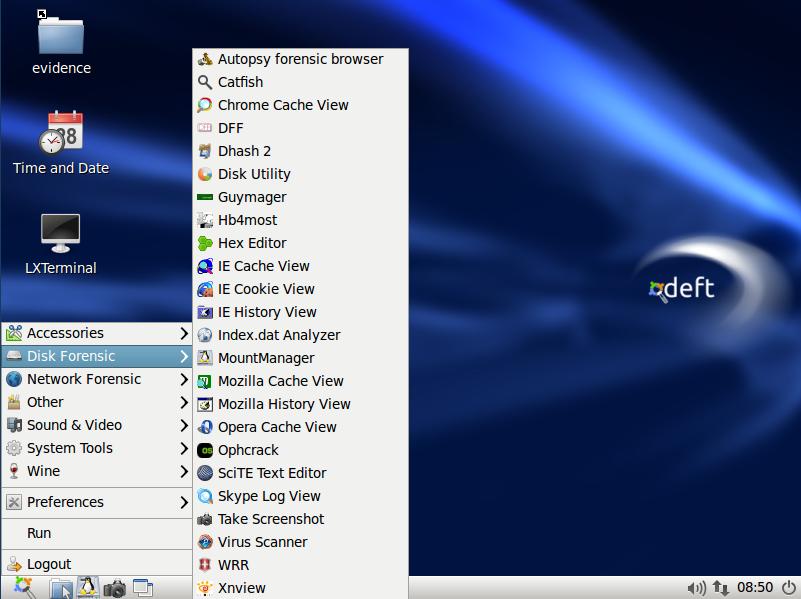
DEFT Linux is a GNU / Linux live for free software based on Ubuntu ,
designed by Stefano Fratepietro for purposes related to computer
forensics ( computer forensics in Italy) and computer security. Version
7.2 takes about 2.5 GB.
The Linux distribution DEFT is made up of a GNU / Linux and DART
(Digital Advanced Response Toolkit), suite dedicated to digital
forensics and intelligence activities. It is currently developed and
maintained by Stefano Fratepietro, with the support of Massimo Dal Cero,
Sandro Rossetti, Paolo Dal Checco, Davide Gabrini, Bartolomeo Bogliolo,
Valerio Leomporra and Marco Giorgi.
The first version of Linux DEFT was introduced in 2005, thanks to the
Computer Forensic Course of the Faculty of Law at the University of
Bologna. This distribution is currently used during the laboratory hours
of the Computer Forensics course held at the University of Bologna and
in many other Italian universities and private entities.
It is also one of the main solutions employed by law enforcement agencies during computer forensic investigations.
In addition to a considerable number of linux applications and
scripts, Deft also features the DART suite containing Windows
applications (both open source and closed source) which are still viable
as there is no equivalent in the Unix world.
Since 2008 is often used between the technologies used by different
police forces, for today the following entities (national and
international) We are using the suite during investigative activities
- DIA (Anti-Mafia Investigation Department)
- Postal Police of Milan
- Postal Police of Bolzano
- Polizei Hamburg (Germany)
- Maryland State Police (USA)
- Korean National Police Agency (Korea)
Computer Forensics software must be able to ensure the integrity of
file structures and metadata on the system being investigated in order
to provide an accurate analysis. It also needs to reliably analyze the
system being investigated without altering, deleting, overwriting or
otherwise changing data.
There are certain characteristics inherent to DEFT that minimize the risk of altering the data being subjected to
analysis. Some of these features are:
- On boot, the system does not use the swap partitions on the system being analyzed
- During system startup there are no automatic mount scripts.
- There are no automated systems for any activity during the analysis of evidence;
- All the mass storage and network traffic acquisition tools do not alter the data being acquired.
You can fully utilize the wide ranging capabilities of the DEFT
toolkit booting from a CDROM or from a DEFT USB stick any system with
the following characteristics:
- CD / DVD ROM or USB port from which the BIOS can support booting.
- CPU x86 (Intel, AMD or Citrix) 166 Mhz or higher to run DEFT Linux in text mode, 200Mhz to run
DEFT Linux in graphical mode;
- 64 Mbytes of RAM to run DEFT Linux in text mode or 128 Mbytes to run the DEFT GUI.
DEFT also supports the new Apple Intel based architectures
All in all, it looks and sounds like a purpose build Distro that is
being used by several government bodies. Most of the documents are in
Italian but translations are also available. It is based on Ubuntu which
is a big advantage as you can do so much more. Their documentation is
done in a clear an professional style, so you might find it useful. Also
if you speak Italian, I guess you already use/used it.

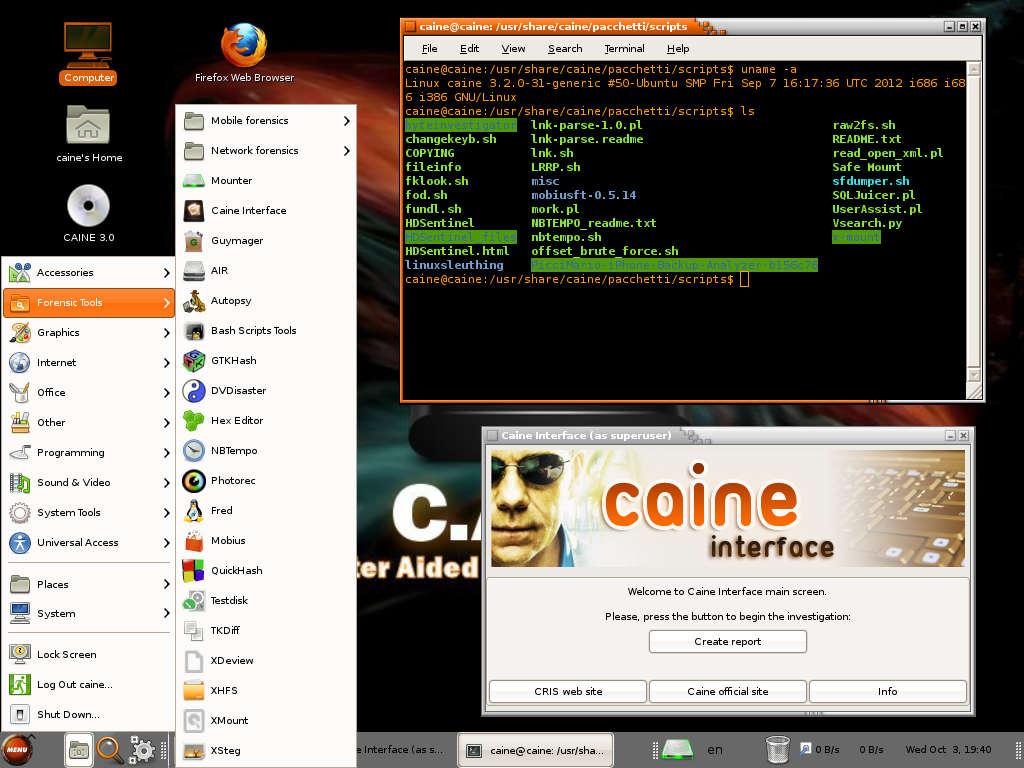
Caine is another Italy born/origin Ubuntu based distro.
Caine (an acronym for Computer Aided Investigative Environment’) is a
distribution live oriented to Computer Forensics (computer forensics)
historically conceived by Giancarlo Giustini, within a project of
Digital Forensics Interdepartmental Research Center for Security (CRIS)
of the University of Modena and Reggio Emilia see Official Site.
Currently the project is maintained by Nanni Bassetti.
The latest version of Caine is based on the Ubuntu Linux 12.04 LTS,
MATE and LightDM. Compared to its original version, the current version
has been modified to meet the standards forensic reliability and safety
standards laid down by the NIST View the methodologies of Nist.
Caine includes:
- Caine Interface – a user-friendly interface that brings together a
number of well-known forensic tools, many of which are open source;
- Updated and optimized environment to conduct a forensic analysis;
- Report generator semi-automatic, by which the investigator has a
document easily editable and exportable with a summary of the
activities;
- Adherence to the investigative procedure defined recently by Italian Law 48/2008, Law 48/2008,.
In addition, Caine is the first distribution to include forensic
Forensics inside the Caja/Nautilus Scripts and all the patches of
security for not to alter the devices in analysis.
The distro uses several patches specifically constructed to make the
system “forensic”, ie not alter the original device to be tested and/or
duplicate:
- Root file system spoofing: patch that prevents tampering with the source device;
- No automatic recovery corrupted Journal patch: patch that prevents
tampering with the device source, through the recovery of the Journal;
- Mounter and RBFstab: mounting devices in a simple and via graphical interface.
RBFstab is set to treat EXT3 as a EXT4 noload with the option to avoid automatic recovery of any corrupt Journal of ‘EXT3;
- Swap file off: patch that avoids modifying the file swap in systems
with limited memory RAM, avoiding the alteration of the original
artifact computer and overwrite data useful for the purposes of
investigation.
Caine and Open Source == == Patches and technical solutions are and
have been all made in collaboration with people (Professionals,
hobbyists, experts, etc..) from all over the world.
CAINE represents fully the spirit of the Open Source philosophy,
because the project is completely open, anyone could take the legacy of
the previous developer or project manager.
The distro is open source, the Windows side (Nirlauncher/Wintaylor)
is open source and, last one but not least important, the distro is
installable, so as to give the possibility to rebuild in a new version,
in order to give a long life to this project.

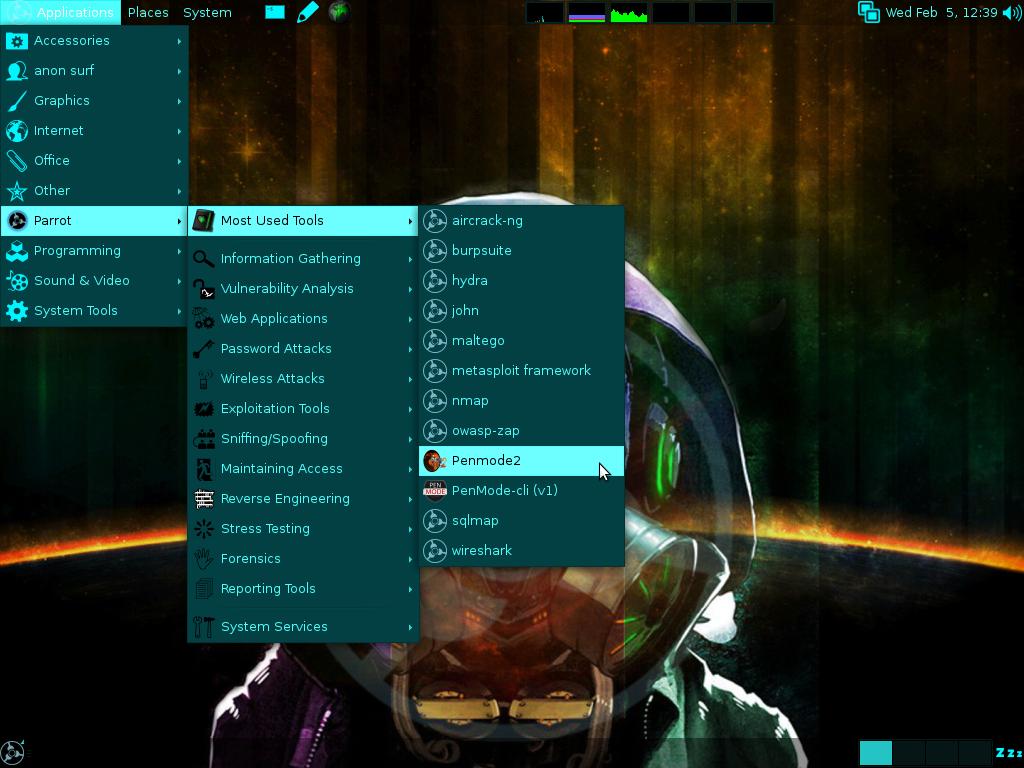
Parrot Security OS is an advanced operating system developed by
Frozenbox Network and designed to perform security and penetration tests, do forensic analysis or act in anonymity.
Anyone can use Parrot, from the Pro pentester to the newbie, because
it provides the most professional tools combined in a easy to use, fast
and lightweight pen-testing environment and it can be used also for an
everyday use.
It seems this distro targets Italian users specifically like few
other mentioned above. Their interface looks cleaner which suggests they
have an active development team working on it which can’t be said above
some other distroes. If you go through their
screenshots page you’ll see it’s very neat. Give it a try and report back, you never know which distro might suit you better.

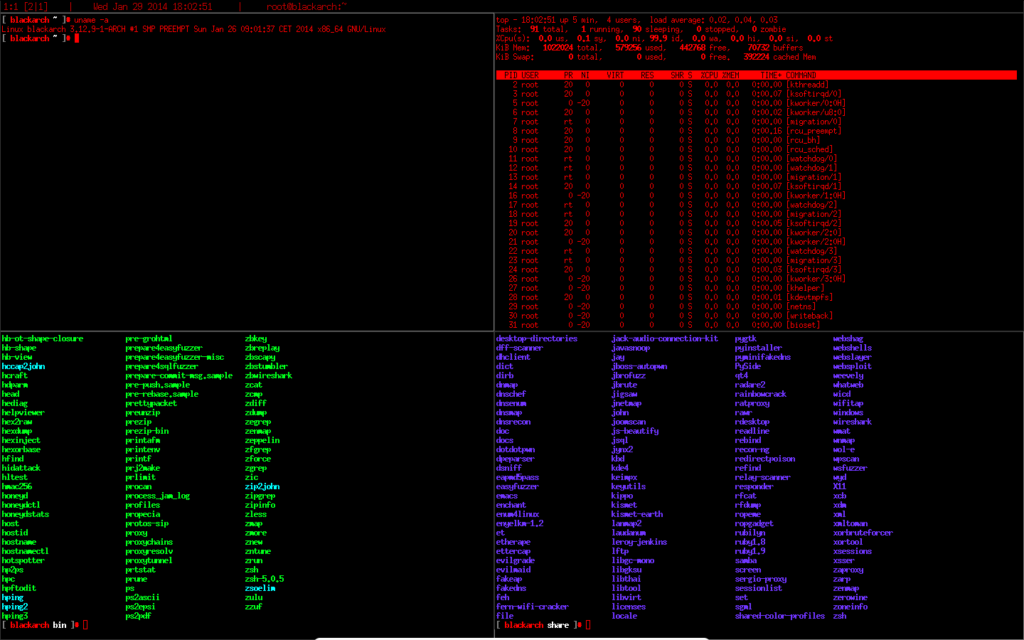
BlackArch Linux is a lightweight expansion to
Arch Linux for penetration testers and security researchers. The repository contains
838 tools. You can install tools individually or in groups. BlackArch is compatible with existing Arch installs.
Please note that although BlackArch is past the beta stage, it is still a relatively new project. [As seen in BlackArch Website]
I’ve used Arch Linux for sometime, it is very lightweight and
efficient. If you’re comfortable with building your Linux installation
from scratch and at the same time want all the Pentest Tools (without
having to add them manually one at a time), then BlackArch is the right
distro for you. Knowing Arch community, your support related issues will
be resolved quickly.
However, I must warn that Arch Linux (or BlackArch Linux in this
case) is not for newbies, you will get lost at step 3 or 4 while
installing. If you’re moderately comfortable with Linux and Arch in
general, go for it. Their website and community looks very organized (I
like that) and it is still growing.
Conclusion
I’ve tried to gather as much information I could to compile this
list. If you’re reading this because you want to pick one of these many
penetration Linux Distributions, my suggestions would be pick the
distribution that is closets to your current one. For example, if you’re
an Ubuntu user, pick something based on Ubuntu, if you’re Gentoo user
then Pentoo is what you’re after and so forth. Like any Linux
distribution list, many people will have many opinions on which is the
best. I’ve personally used several of them and found that each puts
emphasis on a different side. It is upto the user which one they would
like to use (I guess you could try them on VMWare or VirtualBox to get a
feel).
I know for a fact that there are more Penetration Test Linux
distributions out there and I missed some. My research shows these are
the most used and maintained distroes, but if you know of some other
Penetration Test Linux distributions and would like to add into this
list, let us know via comments.